

Planning ahead is the easiest way to avoid internet frustrations during Labor Day RV travel. From checking your RV Wi-Fi setup before you leave to preparing for offline moments, this checklist helps you stay connected and spend more time enjoying the journey.

Labor Day weekend is one of the busiest times of the year for Labor Day RV travel. Campgrounds are full, networks are busier than usual, and internet performance can vary from one stop to the next. The last thing you want is to spend your holiday troubleshooting connections instead of relaxing.
A little preparation goes a long way. Before you hit the road, use this checklist to make sure your RV internet setup is ready for wherever the weekend takes you.
Internet Checklist for Labor Day RV Travel
Before You Leave
The best RV travel experiences start before you even pull out of the driveway.
✔ Test your internet connections
Make sure your cellular connection is working and that your RV Wi-Fi network is operating as expected. If you use multiple internet sources, confirm they’re properly configured before departure.
✔ Configure your WAN priorities
The Routica Explorer Wireless Gateway Routers support automatic WAN failover between configured internet sources, including cellular, Ethernet, and Wi-Fi as WAN. Set your preferred priority order before your trip so the router can switch to the next available connection if needed.
✔ Download offline essentials
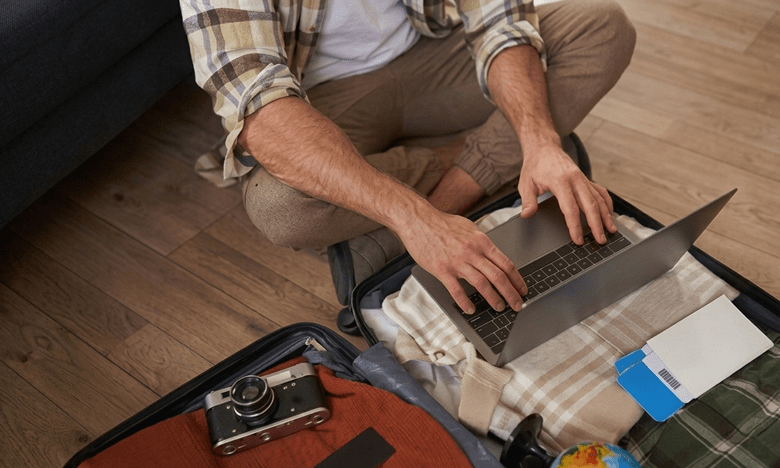
Even a great RV internet setup can’t guarantee coverage everywhere. Download offline maps, campground reservations, travel documents, and entertainment before leaving home.
✔ Prepare your USB Media Server
Heading somewhere remote?
Load a USB drive with compatible movies, music, or photos. The USB Media Server on the Routica Explorer Wireless Gateway Routers lets compatible devices connected to your local network enjoy entertainment without using an internet connection.
At the Campground
Once you’ve arrived, a few small adjustments can improve your experience.
✔ Position your router for the best signal
Place the Routica Explorer Wireless Gateway Routers near a window whenever possible and away from large metal appliances that may interfere with cellular reception.
✔ Use campground Wi-Fi wisely
Campground RV Wi-Fi can be useful, but it often slows down during busy holiday weekends. With Wi-Fi as WAN, you can use campground internet as another available source while maintaining your own private RV Wi-Fi network.

✔ Keep every device connected
Instead of reconnecting phones, tablets, laptops, and smart TVs every time your internet source changes, Easy Wi-Fi Internet Sharing keeps your devices connected to the same familiar network throughout your trip.
While Driving
Connectivity doesn’t stop once you’re back on the road.
✔ Monitor your connection
Carrier coverage changes throughout Labor Day RV travel, especially in rural areas, mountain passes, and national parks. Knowing when your connection changes helps you plan ahead.
✔ Keep family updated
Using Trip Sharing, you can securely share your journey with friends or family so they know where you are throughout your travels.

✔ Switch carriers when needed
The Routica Explorer II Wireless Gateway Router supports Dual SIM and eSIM functionality, allowing you to manually switch to another configured carrier if it offers better coverage in your current location.
Before Returning Home
Your trip isn’t quite over yet.
✔ Review your data usage
Checking how much data you used helps you decide whether your current mobile plan still fits the way you travel.
✔ Update your travel checklist
Every trip teaches you something new. Add those lessons to your checklist so you’re even better prepared for your next getaway.
✔ Save what worked
Make a note of campgrounds with reliable internet, the carrier that performed best, and any router placement changes that improved your connection. Those notes can make your next RV travel adventure even easier.

Summing Up
A few minutes of preparation before your trip can prevent hours of internet troubleshooting. Reliable RV connectivity comes from planning ahead, not relying on a single connection.
Ready for a Better Labor Day Adventure?
The Routica Explorer Wireless Gateway Routers help simplify connectivity, so you can spend less time troubleshooting and more time enjoying the journey.
Shop the Routica Explorer II on Our Online Store
or
Frequently Asked Questions
Is campground Wi-Fi reliable during Labor Day weekend?
It can be, but holiday weekends often bring more guests and heavier network usage. Having your own RV internet connection provides a more consistent experience.
Should I prepare for offline travel?
Yes. Downloading maps, reservations, and entertainment before your trip helps you stay productive and entertained when coverage is limited.
How do the Routica Explorer Wireless Gateway Routers help during road trips?
They create a private RV Wi-Fi network, support multiple internet sources with automatic WAN failover, and include features like Easy Wi-Fi Sharing, Trip Sharing, Wi-Fi as WAN, and the USB Media Server to make staying connected simpler throughout your journey.