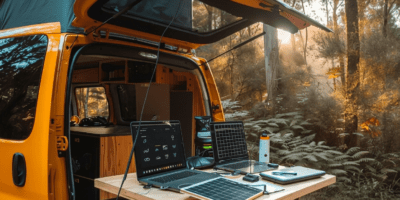


Fall RV travel means fewer crowds, cooler temperatures, and some of the best scenery of the year. It also means more remote destinations, spottier cellular coverage, and campground networks that weren’t built for the demand. Here’s how to build a setup that keeps you connected no matter where fall takes you.

Why Fall Is the Fastest-Growing RV Travel Season
Summer used to own the road. That’s changing. According to RVshare, 77% of RV renters plan to travel in fall, with more than half opting for trips under a week. Separate data shows 77% of travelers are extending their summer season into September and 58% into October, driven largely by affordability and thinner crowds.
The shift is clear: RVers in 2026 are moving away from rushed, checklist travel and choosing longer stays, fewer miles per day, and seasonal routes instead of cross-country marathons. National parks, leaf-peeping corridors, and off-grid boondocking spots are pulling people in. The trade-off is coverage. Beautiful fall destinations often sit in cellular dead zones, and slower travel means connectivity matters more, not less.
What Makes Fall RV Travel Connectivity Different
Fall RV travel can bring different connectivity challenges. While some campgrounds may be less crowded, fall trips can also take travelers to more remote destinations where cellular coverage and campground Wi-Fi may vary.
That shift changes what your RV internet setup needs to handle. Summer camping near a busy highway corridor is a different connectivity challenge than a week parked at a quiet national forest campground in October. The further you go from populated areas, the more your setup has to work on its own.

How to Build a Reliable Setup for Fall RV Travel
Start with a dedicated cellular connection.
A dedicated cellular connection can provide a more practical setup for multiple devices.
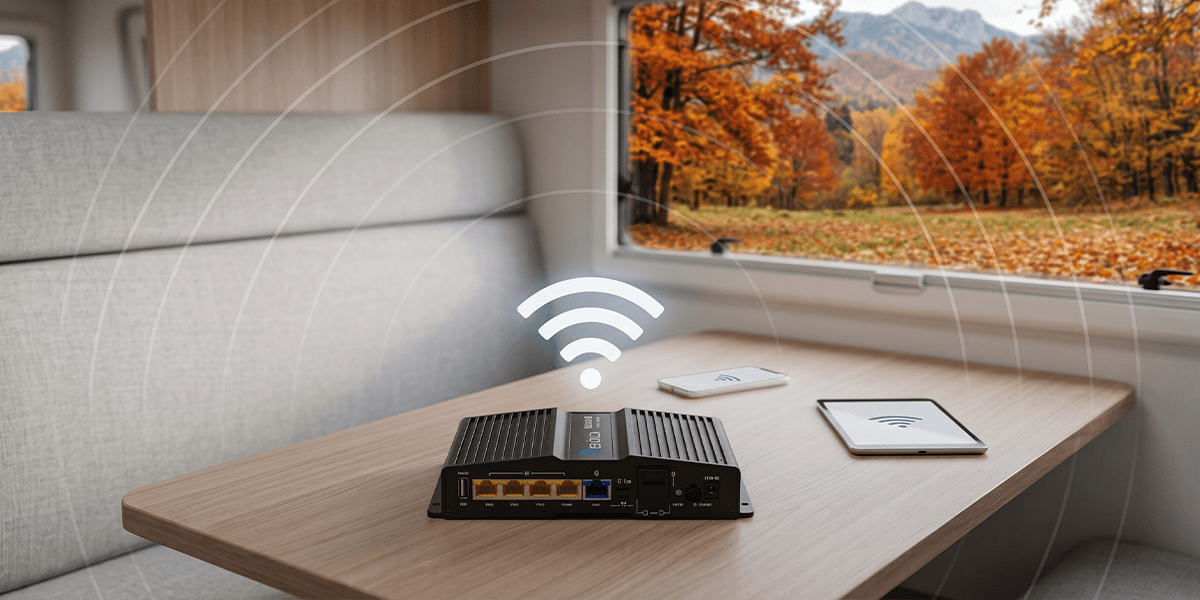
A phone hotspot can work well for occasional use, but a dedicated cellular router for RV use creates a private Wi-Fi network for multiple connected devices. Routica Explorer Wireless Gateway Routers also support external antenna connections, which can help improve cellular reception in locations where signal strength is limited.
Add a campground Wi-Fi layer.
Fall campgrounds are less crowded, which means park Wi-Fi is actually usable more often than in summer. And if you have travel router like Routica Explorer Wireless Gateway, you can make the most of your campground Wi-Fi.
The Routica Explorer Wireless Gateway Router supports Wi-Fi as WAN as Easy Wi-Fi Internet Sharing, allowing you to connect the router to an available Wi-Fi network, such as campground Wi-Fi, and use it as an internet source for your RV.
Your phones, laptops, tablets, and other devices can remain connected to the Routica Explorer Wireless Gateway Router’s Wi-Fi network instead of connecting individually to the campground network.
Configure automatic WAN failover.
The Routica Explorer Wireless Gateway Routers support priority-based automatic WAN failover between Ethernet, Wi-Fi as WAN, and cellular. Set your priorities and minimum bandwidth thresholds before you leave.
When your active connection drops below that threshold, the router shifts to the next source automatically. One important note: once it fails over, it stays on the lower priority connection until you manually switch back.
Go offline for entertainment.
Remote fall RV travel routes mean gaps in coverage are inevitable. Pre-loading a USB drive before you leave and using the USB Media Server on the Routica Explorer Wireless Gateway Routers means movies, music, and photos stream to every device on your network with zero internet required.
Have a backup carrier ready for remote areas.
Fall destinations often sit in areas where one carrier has coverage and another doesn’t. The Routica Explorer II Wireless Gateway Router supports dual physical SIM cards and eSIM, giving you flexibility to use different cellular plans.
You can manually switch between configured SIM/eSIM options when you need to use a different carrier.
Keep your RV secure while you explore.
Fall means day hikes, town visits, and leaving your rig parked in unfamiliar spots. If you want to keep your RV on watch, the Alarm and Sentry feature monitors your RV’s GPS position and sends an alert to your phone through the Routica app if the router detects any location change. Keep in mind the alert requires an active internet connection on the router to reach your phone.

Summing Up
Fall RV travel is growing fast for good reason. Fewer crowds, cooler air, and some of the most scenic routes of the year make it one of the best times to be on the road. But the destinations that make fall special are often the ones that test your connectivity the most.
A layered setup that combines cellular connectivity, additional WAN sources, automatic WAN failover, and offline entertainment options can help you spend less time troubleshooting and more time enjoying the season. Prepare before you leave, configure your WAN priorities, and make sure your backup options are ready for the places you’re visiting.
Ready to build a setup that handles everything fall throws at it?
Shop the Routica Explorer on Our Online Store
FAQ
What is a practical internet setup for fall RV travel?
A flexible setup can include a dedicated Routica Explorer Wireless Gateway Router with cellular connectivity, Wi-Fi as WAN for compatible campground or other Wi-Fi networks, and Ethernet connectivity for compatible Starlink setups. This gives travelers multiple ways to get online depending on what’s available at their location.
Does fall RV travel have worse cellular coverage than summer?
Not necessarily worse, but different. Fall destinations tend to be more remote, which means coverage gaps are more common. Having access to more than one carrier through a dual SIM router gives you real flexibility when one network is weak at your location.
What happens when my RV router fails over to a backup connection?
The Routica Explorer Wireless Gateway Router automatically switches to the next configured WAN interface when the active connection no longer meets its selected failover threshold. The router follows the WAN priorities you configure. Once it fails over, it does not automatically switch back to the previous connection when that connection becomes available again; you can manually switch back when needed.