

RV internet for families means managing video calls, streaming, gaming, and smart devices all at once, often in locations where campground Wi-Fi may not provide the performance you need. The right setup can make it easier to keep everyone connected without constantly troubleshooting or reconnecting devices.

Why Family RV Travel Demands More from Your Internet Setup
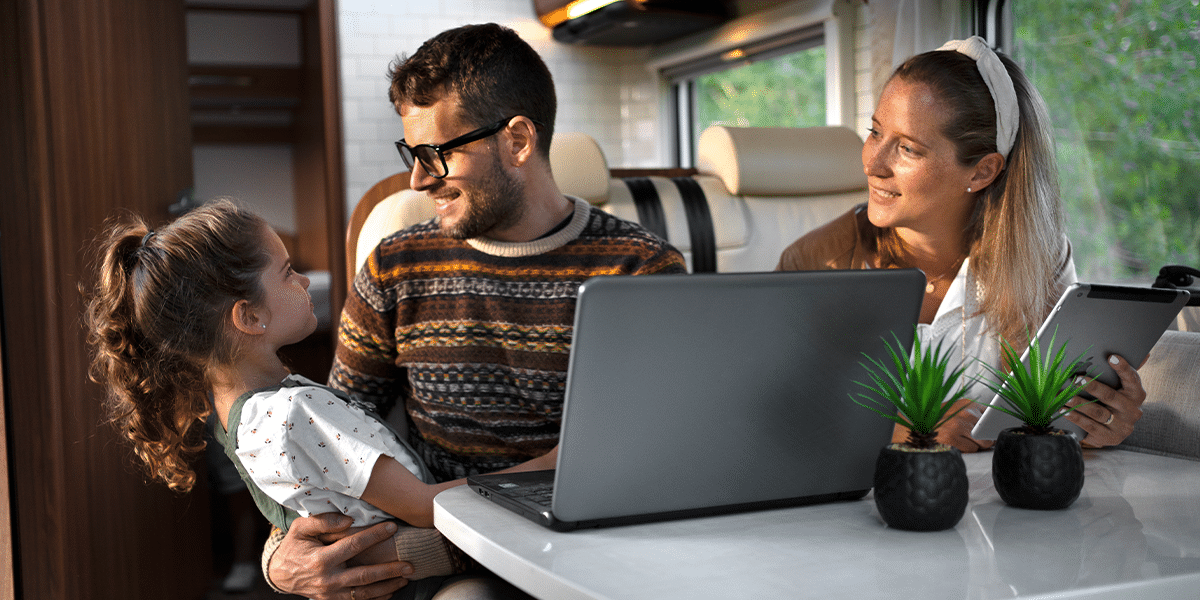
A solo traveler using one or two devices may be perfectly comfortable with a phone hotspot. A family can put significantly more demand on an internet connection, with parents on video calls, kids streaming shows, teens using gaming apps, and smart devices connected at the same time.
The more devices and activities you have running simultaneously, the more useful a dedicated network can become. Instead of relying on a phone to provide internet access to everyone, a dedicated cellular router for RV use can provide a centralized Wi-Fi network for the devices throughout your RV.
For families who work, study, stream, or stay connected while traveling, having one network to manage can mean less device juggling and a simpler experience on the road.
What Does a Family RV Network Actually Need?
Enough capacity for simultaneous users
A family RV may have several devices online at the same time. Parents might be working remotely while children stream video, browse the web, or use connected devices.

A dedicated RV cellular gateway provides a centralized private Wi-Fi network for your devices instead of relying on a smartphone hotspot to serve as the primary network.
The Routica Explorer Wireless Gateway Routers are designed to provide Wi-Fi connectivity for multiple devices while using supported internet sources such as cellular, Wi-Fi as WAN, or Ethernet.
A separate network for guests and family members
Sharing your primary Wi-Fi password with everyone isn’t always ideal.
Guest Wi-Fi on the Routica Explorer Wireless Gateway Routers provides a separate network for guests and other users, helping keep them isolated from devices connected to your primary network.
This can be useful when traveling with extended family, friends, or other guests who need internet access without joining your main network.
Automatic failover so you can stay connected
Internet connections can be unpredictable on the road. Campground Wi-Fi might slow down, Starlink can lose its connection under heavy tree cover, and cellular coverage can vary from one campsite to the next.
The Routica Explorer Wireless Gateway Routers let you set up automatic WAN failover so the router can move between your available internet connections when one isn’t performing well. You can assign each connection a priority, High, Medium, or Low, and optionally set a minimum bandwidth threshold.
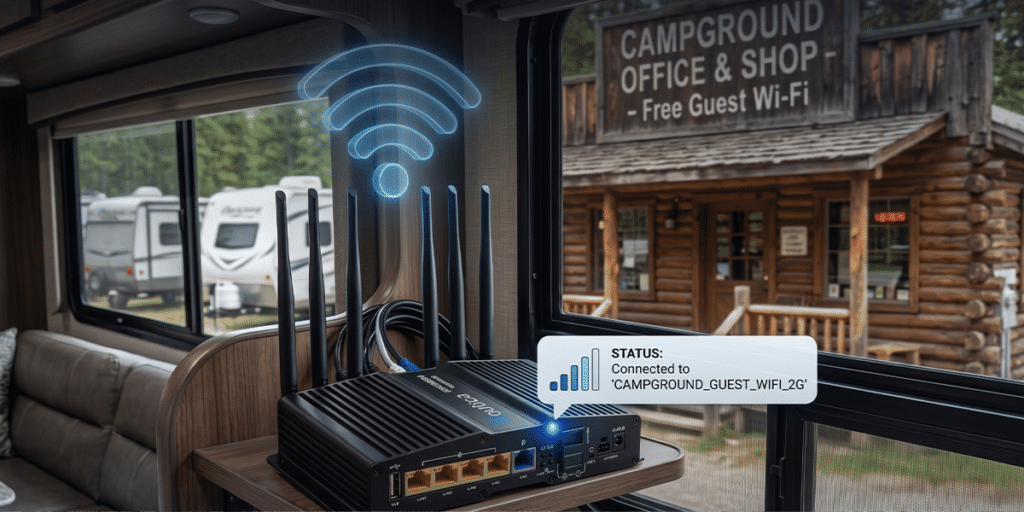
For example, you could set campground Wi-Fi as High, Starlink via Ethernet as Medium, and cellular as Low. If the campground Wi-Fi drops below your set threshold, the router moves to Starlink. If Starlink then becomes unusable, it can move to cellular.
The key benefit? Your devices stay connected to the same Routica Explorer Wireless Gateway Router Wi-Fi network while the internet source changes in the background.
How the Routica Explorer Gateway Routers Handle Family RV Internet
Keep kids entertained without burning cellular data
Long drives and remote destinations are where RV internet for families can become challenging.
One way to reduce your dependence on an internet connection is to prepare entertainment before you leave. Load compatible movies, music, and photos onto a USB drive and use the USB Media Server on the Routica Explorer Wireless Gateway Routers to stream that content across your local network.

Because the media is stored locally, an internet connection isn’t required to access the content.
That means your cellular data can remain available for activities that actually require internet access.
Carrier flexibility for cross-country family trips
Family road trips can take you through areas where one cellular carrier performs better than another.
The Routica Explorer II Wireless Gateway Router supports two physical nano-SIM cards and up to eight eSIM profiles, allowing you to configure up to 10 different cellular connections.
You can configure and manage your SIM and eSIM connections through the Routica mobile app and manually switch between configured connections when needed.
This gives families greater flexibility when traveling through different coverage areas without requiring them to physically replace a SIM card every time they want to use another configured cellular connection.
Connect to Starlink when you go off grid
Some family camping destinations have limited cellular coverage. The Routica Explorer Wireless Gateway Routers can work alongside compatible Starlink setups using either the router’s Ethernet WAN port or wirelessly via Wi-Fi as WAN.
While a wired Ethernet connection is recommended for optimal stability, connecting wirelessly via Wi-Fi as WAN gives you full flexibility if you don’t have a Starlink Ethernet adapter. With both options available, the Explorer can seamlessly manage Starlink alongside your cellular connection according to your configured WAN priority and failover settings.
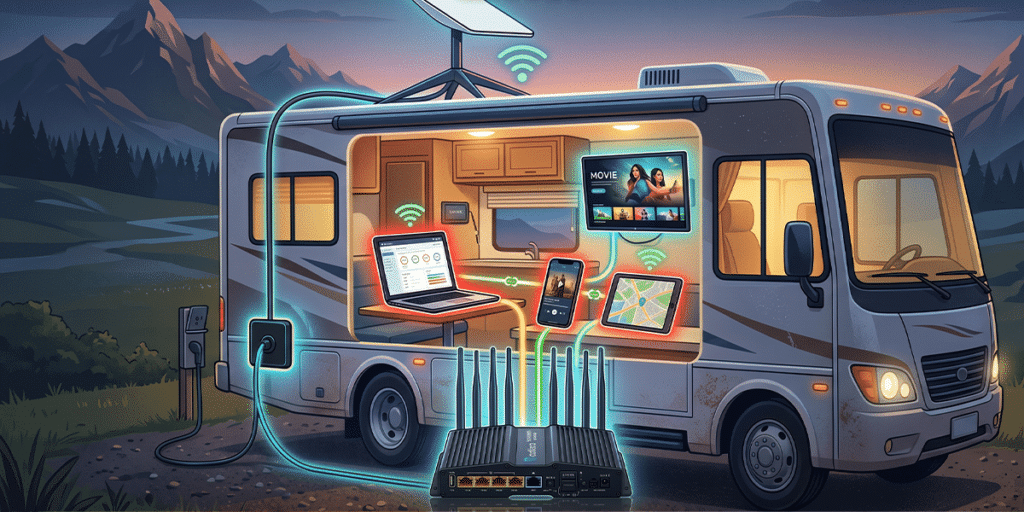
This allows your devices to remain connected to the same router Wi-Fi network while the available internet source changes.
Keep the whole family connected through a VPN
Families working remotely or accessing sensitive online services may want to use a VPN. The Routica Explorer Wireless Gateway Routers feature built-in VPN client support—compatible with both WireGuard and OpenVPN protocols. It allows your VPN connection to be managed directly at the router level.
Devices connected to that network benefit from encrypted, protected traffic without requiring individual VPN software to be set up on every single device. As always, the overall level of protection depends on the specific VPN provider and configuration being used.
Share the trip with grandparents and extended family
Family members don’t always need to be on the road to feel part of the journey.

Trip Sharing lets you share your real-time location, photos, and videos with family and friends through the Routica app. For families traveling with children, it can be an easy way to keep grandparents and relatives updated on the journey without constant phone calls or individual messages.
Know your RV is safe when you’re out exploring
Family adventures often mean leaving your RV parked while you explore a town, visit a beach, or go hiking. The Alarm and Sentry feature monitors the RV’s GPS position and can send an alert to your phone through the Routica app if the router detects a location change.
An active internet connection on the router is required for the alert to reach your phone.
Summing Up
RV internet for families isn’t just about having an internet connection. It’s about having a setup that can accommodate multiple users, devices, and internet sources without making connectivity another thing you have to constantly manage.
A dedicated RV cellular gateway can provide a centralized Wi-Fi network for your family’s devices, while features such as Guest Wi-Fi, automatic WAN failover, multiple cellular configurations, USB Media Server, VPN support, and Trip Sharing can make life on the road more convenient.
The right setup depends on how your family travels, where you go, how many devices you use, and how much you rely on internet connectivity.
Ready to build a family RV setup that keeps everyone connected?
- Shop the Routica Explorer on Our Online Store
- Buy the Routica Explorer II Wireless 5G Gateway Router on Amazon
FAQs
What is the best RV internet setup for families?
There isn’t one setup that works best for every family. A layered approach can provide greater flexibility, such as a dedicated cellular connection combined with campground Wi-Fi through Wi-Fi as WAN and Starlink through Ethernet when available.
The Routica Explorer Wireless Gateway Routers can manage multiple supported WAN sources while keeping your devices connected to the same router Wi-Fi network.
Can I keep my kids on a separate Wi-Fi network in my RV?
Yes. The Routica Explorer Wireless Gateway Routers support a Guest Wi-Fi network that is separate from the primary Wi-Fi network. This allows guests and other users to connect without joining the same network as your primary devices.
Does the Routica Explorer II support multiple carriers for family road trips?
Yes. The Routica Explorer II Wireless Gateway Router supports two physical nano-SIM cards and up to eight eSIM profiles, allowing up to 10 different cellular connections to be configured.
SIM and eSIM connections can be managed through the Routica mobile app, and you can manually switch between configured connections when needed.
Can I use Starlink with the Routica Explorer Wireless Gateway Routers?
Yes. Compatible Starlink setups can be connected through the Explorer’s Ethernet WAN connection. Starlink can then be used as one of the router’s available internet sources alongside supported cellular and Wi-Fi as WAN connections.
Does the Explorer automatically switch back after a WAN failover?
No. When the active WAN connection falls below its configured threshold, the router can fail over to the next configured WAN source. Once it has failed over, it does not automatically return to the previous connection when that connection becomes available again. You can manually switch back when desired.